
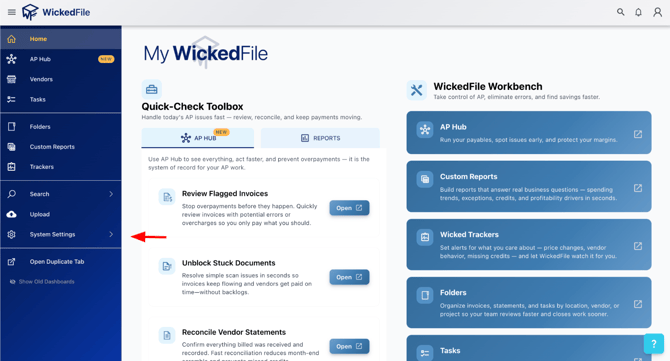
Step 1: Click on "System Settings"
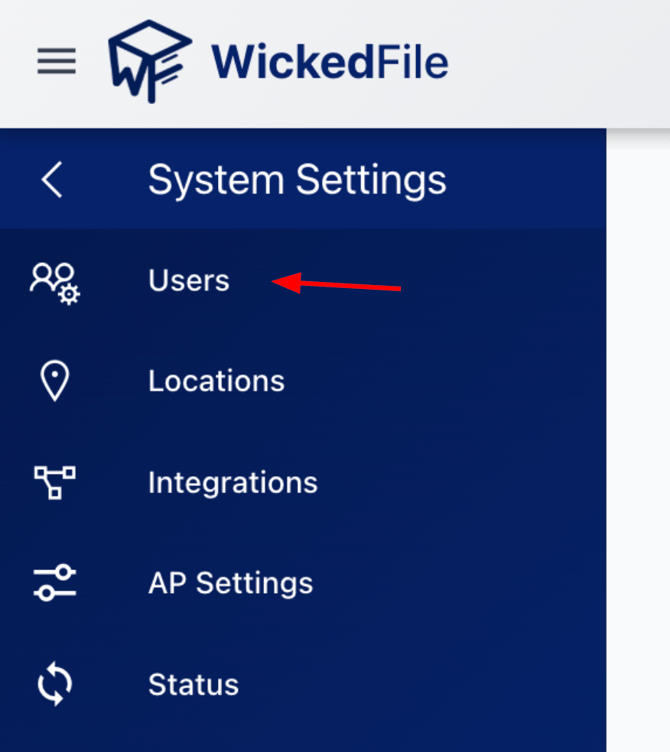
Step 2: Click on "Users"
Step 3: You should now see all users on your account, along with an option to create a new user. To change your password or another user’s password, click the appropriate name from the user list.
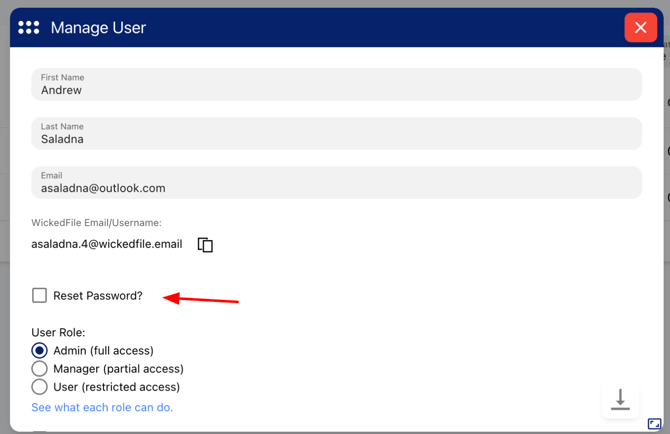
Step 4: Once you’ve selected the appropriate user, you’ll see an option to reset the password. Check the box and enter a new password for the user. When finished, click “Save” at the bottom of the page.
The password is now reset!