
Note - While the Quick-Check Toolbox is still active in WickedFile, it is recommended for all users to utilize the AP Hub as their one-stop workflow. Please read more about using the AP Hub.
The Quick-Check is meant to serve as your guide for "what to do and when?" in WickedFile
🔹 Daily Reports
Review these every day to stay on top of your shop’s financial accuracy and prevent lost profits.
PO Numbers for Review
Find part invoices that aren’t tied to an approved RO Number, inventory, or shop supplies.
➡️ Helps you catch missing or mis-tagged invoices before they cause reporting gaps.
ROs for Review
Review closed ROs that may be missing profit before it’s too late.
➡️ A quick daily check keeps your numbers accurate and your profits secure.
💡 Tip: Upload your invoices and statements every afternoon to keep these reports up to date.

🔹 Weekly Reports
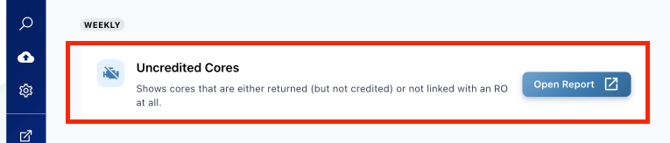
Uncredited Cores
Shows cores that have been returned but not yet credited or linked with a Repair Order (RO).
➡️ Checking this weekly ensures you don’t miss out on valuable credits.
🔹 Monthly Reports
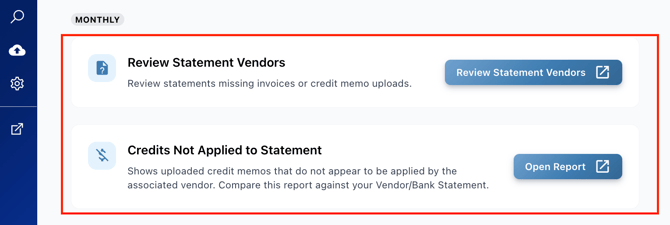
Statements Missing Invoices or Credit Memos
Identifies vendor statements that are missing a corresponding invoice or credit memo.
➡️ Reviewing this monthly helps maintain complete and accurate vendor records.
⚙️ Why Use the Quick-Check Toolbox?
The Quick-Check Toolbox helps you:
- Stay Organized – View all key reports in one place.
- Work Efficiently – Follow clear review timelines for daily, weekly, and monthly tasks.
- Protect Profits – Catch missing data and discrepancies before they impact your bottom line.
With consistent use, you’ll always know what to review, when to review it, and why it matters — saving hours every week and keeping your business running smoothly.
💬 Need Help? Ask Bob!
If you’re unsure where to start or need help interpreting a report, Bob — your built-in AI assistant — is always ready to help.Click Ask Bob! right from your dashboard for quick guidance on anything WickedFile.