
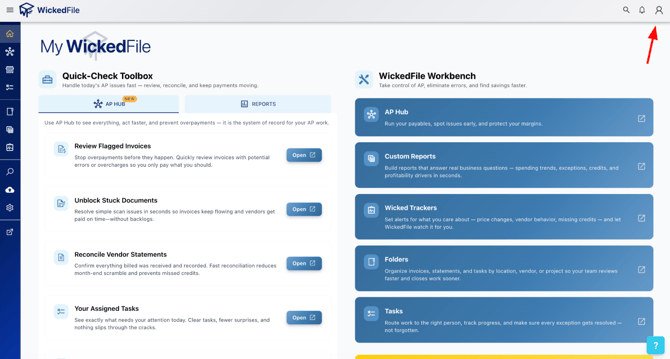
Step 1: Once on the home screen, click the person icon in the top-right corner, then click “Account.”
Step 2: Near the top, click the tab labeled “Payment Info” and make sure all information is entered correctly. Click “Save,” then click “Next” at the bottom of the page.
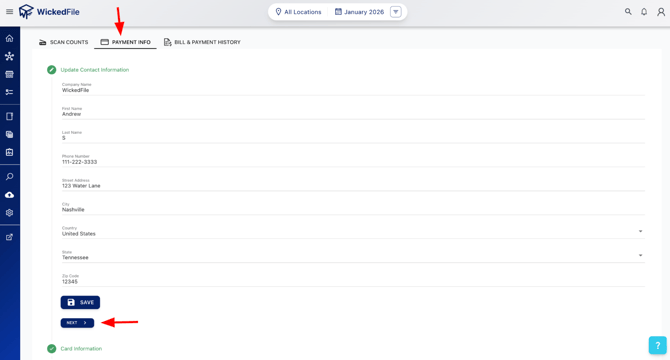
Step 3: Now you should see your shop location displayed. Please click on the shop location that you want to update the address or correct the failed billing.
Step 4: A new screen will pop up, as shown in the image below. To add a new credit card or update your address to your billing account, please enter all the required credit card information in the fields highlighted in black, marked with red exclamation points on the right side. Ensure that all information is entered correctly, then click the "Save" button at the bottom of the screen.
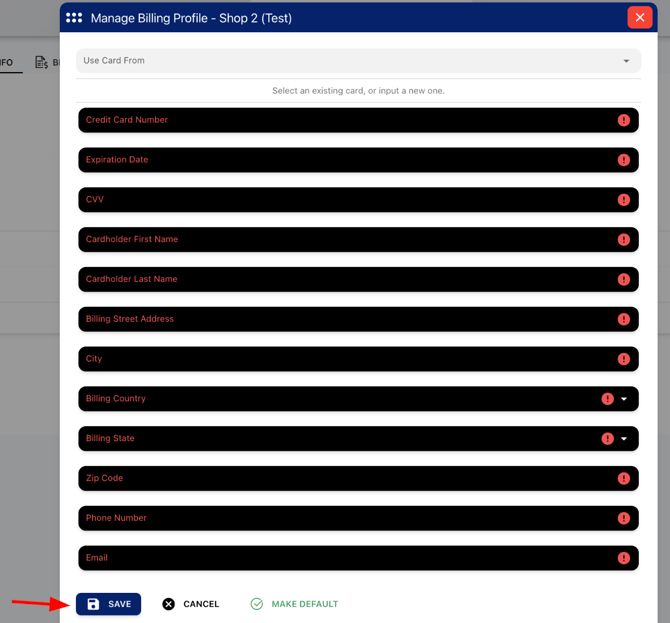
Please Note: One card is automatically set as the "Default" card. This means if you were to add a new shop location into WickedFile without adding in a separate credit card to be billed for this location, then the "Default" card will be billed.
You are able to click on "Make Default" on any card within the billing page if needed (as show in the image above).