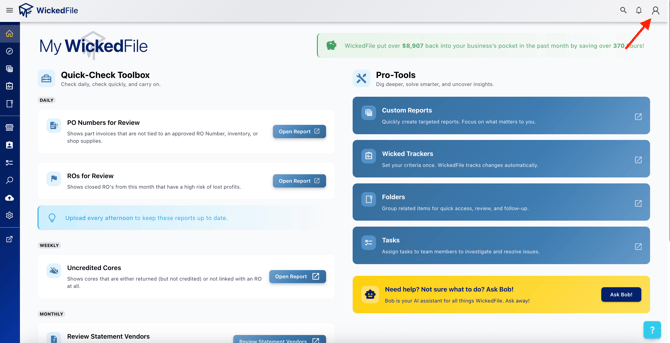
You can find this page under the Account tab — click the person icon in the upper right corner of the screen and select Scan Counts from the dropdown.
This view helps you:
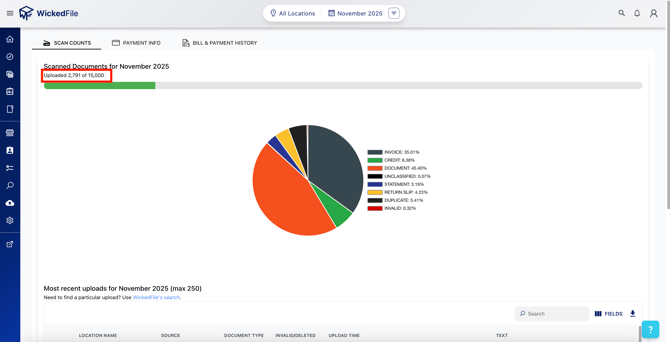
- ✅ Monitor upload activity: See how many scans have been uploaded compared to your monthly goal (shown by the green progress bar).
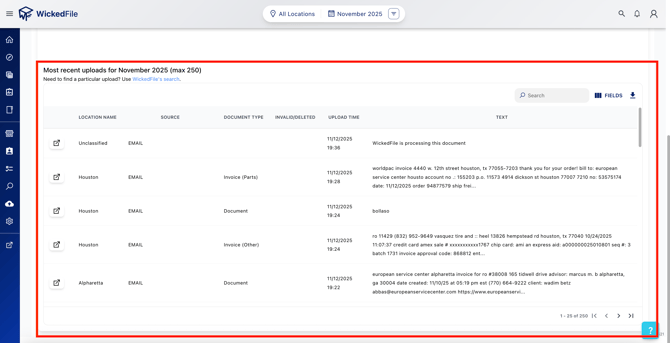
- 🔍 Track what’s been uploaded — and what hasn’t: Confirm that all required documents are being captured and identify any missing uploads.
- 🗂️ Review document types: Quickly see what kinds of files have been uploaded (Invoices, Credits, Statements, Return Slips, etc.).
- 🚫 Reduce unnecessary uploads: Spot and avoid non-auditable files, duplicates, or unrelated documents that can clutter your data.
- 📅 Filter by month: Switch between months to monitor trends and ensure consistency in your document submissions.
This section gives you visibility into your document flow — helping you maintain clean, complete, and audit-ready records across all locations.
💬 Tip: If you need help reviewing your scan activity or interpreting your upload data, please contact support — our team is happy to assist.